Send Sensitive Info in 60 Seconds
Posted on January 15, 2026 | Updated April 8, 2026
Beginner
Self‑Destruct
Flowchart
Quick answer: To send sensitive info quickly, put the secret in a self-destructing note, generate a one-time link, and share only the link. For higher-risk secrets, send the link and password through separate channels.
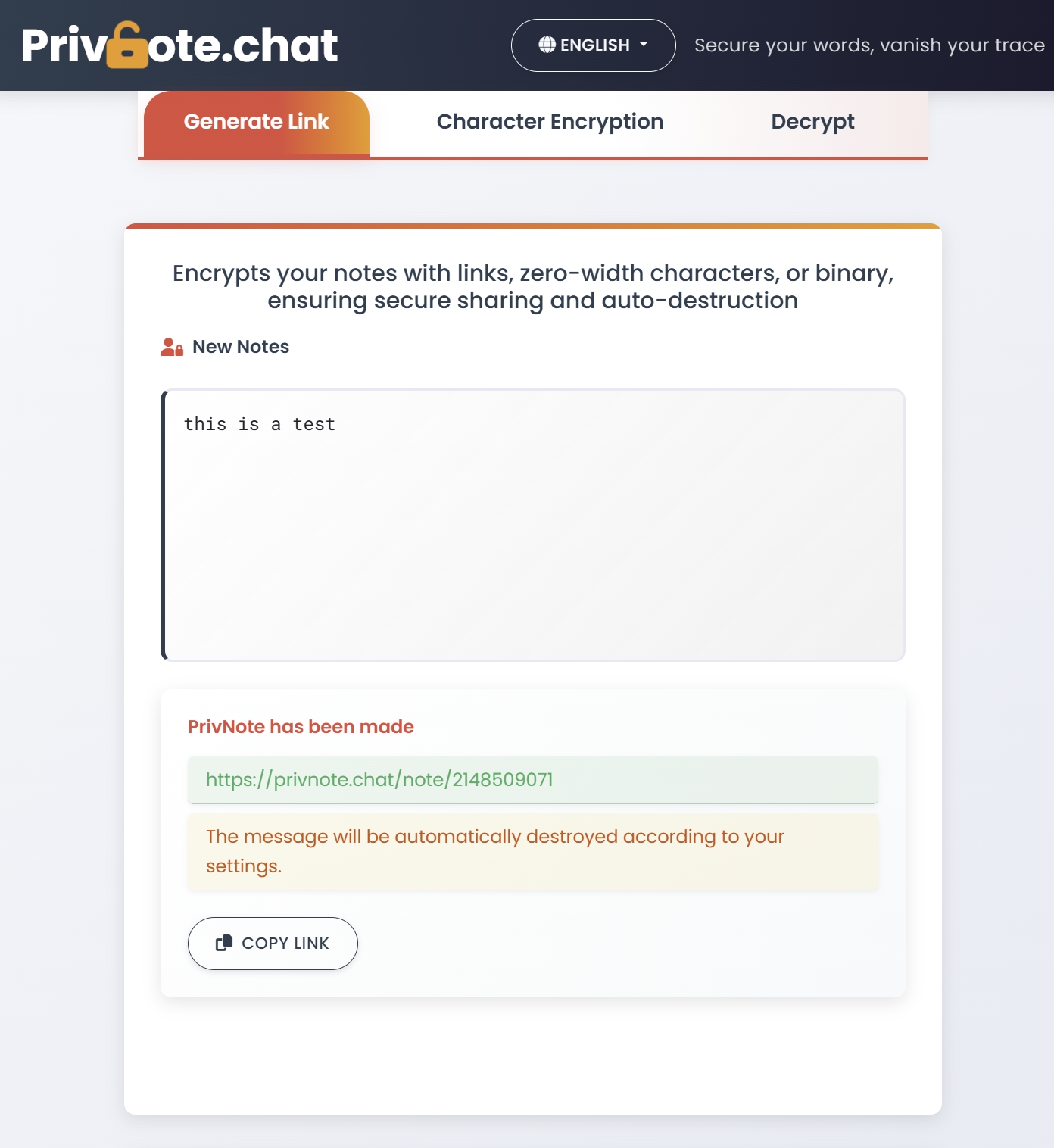
If you only need someone to read something once (a password, door code, address, backup code), don’t paste it into chat history. Use a one-time link that disappears after reading.
The 60‑second checklist
- Write the message on the homepage.
- (Optional) Add a note password for high‑risk secrets.
- Generate a link and send it to the recipient.
Pro tip: If you set a note password, send the link and the password via different channels.
Flowchart (rendered from code)
flowchart TD
A[Write message] --> B{Add note password?}
B -->|No| C[Generate one-time link]
B -->|Yes| D[Set password]
D --> C
C --> E[Send link to recipient]
E --> F[Recipient opens + reads]
F --> G[Server deletes note (link invalid)]